Custom Cast & Events Guide
1. Fast Cast Setup (12 to 48 Tributes)
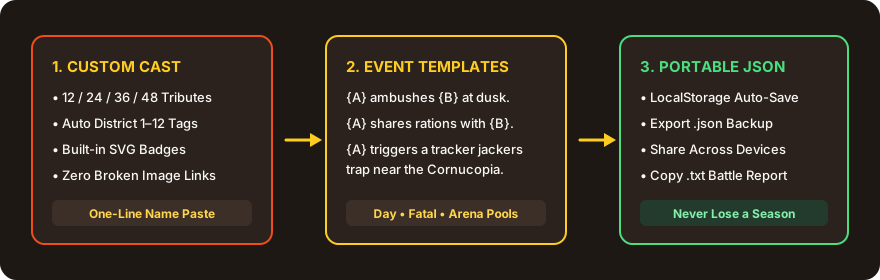
Open the “Cast & Events” panel on the simulator homepage. Paste one name per line—friends, Discord members, or fictional characters. Districts 1–12 and high-contrast SVG badges are assigned automatically so you never deal with broken image URLs on mobile.
2. Writing Custom Events with {A} and {B}
Use {A} for the primary actor (and killer in fatal events) and {B} for the second tribute or eliminated target. Put harmless or alliance actions in Custom Events, and eliminations in Custom Fatal Events.
{A} tricks {B} into eating nightlock berries.
{A} and {B} roast marshmallows over a hidden fire.
3. Never Lose a Season: Export JSON
Your browser auto-saves edits to localStorage, and clicking “Export JSON” downloads a portable file containing your roster, custom events, and arena rules. Share it with friends or re-import anytime.